
- 63lessons
- 3guided projects
- 9module checkpoints
- 2.5hours of video
What you'll learn
- Open, build and run a Compose Android project and read its Gradle files, manifest and resources
- Build Compose screens from composables, state, hoisting, layouts and modifiers
- Build lists, forms with validation and a typed navigation model with tested back-stack rules
- Request runtime permissions gracefully and expose correct semantics, touch targets, traversal order and adaptive layouts
- Prepare a signed release build with secrets kept out of source control and a verified release checklist
Skills you'll gain
- Android project lifecycle
- Compose state
- layout
- Components
- themes
- Navigation
- ViewModels
- state ownership
- Local persistence
- Lifecycle
- accessibility
- Testing
- App packaging
Tools you'll use
- Kotlin
- Jetpack Compose
- Material 3
- Gradle
- ViewModel and StateFlow
- Room
- DataStore
- Compose UI tests
Details to know
- Certificate on completionIssued after your final project is reviewed
- 9 module checkpointsA quiz and a practical task close each module
- Self-pacedStudy any time; your progress is saved
How every lesson works
Each lesson follows the same four steps, so you always know what comes next.
- 01
Watch & Learn
A short animated video explains one idea at a time.
- 02
Guided Practice
Work through an example step by step and check the result.
- 03
Quiz & Challenge
Short questions check the idea has landed before you move on.
- 04
Mini Project
Build something useful from a project brief.
Learn at your own pace
This is a self-paced course. There are no live classes and no fixed timetable.
- Start any timeStudy when it suits you. Lessons are short, so they fit around work or college.
- Pick up where you left offYour progress is saved to your account.
- Ask when you're stuckUse Ask Mentor inside the learning platform.
Your path in 3 phases
Each phase ends with something you have built and checked.
- 01
Modules 1 to 3
Pantry Pal screens and theme
Covers Android project lifecycle, Compose state and layout and Components and themes.
You build: Pantry Pal screens and theme: Pantry Pal starter project mapped, built and run with the startup Logcat line.
- 02
Modules 4 to 6
Navigated, stateful and persistent Pantry Pal
Covers Navigation, ViewModels and state ownership and Local persistence.
You build: Navigated, stateful and persistent Pantry Pal: Pure back-stack model with duplicate guard and link parser, with JVM tests.
- 03
Modules 7 to 9
Accessible Android application with persistent state and tested navigation
Covers Lifecycle and accessibility, Testing and App packaging.
You build: Accessible, tested and release-ready Pantry Pal: Permission flow, merged semantics, 48dp targets and a scripted screen-reader pass.
Full curriculum
9 modules and 63 lessons, 34 to 57 hours of study
01Android project lifecycle7 lessons, 3 to 5 hours
Lessons
- Anatomy of a new Compose project in Android Studio
- Gradle for Android: settings, module build file and build types
- Build, run and read Logcat on an emulator or device
- The manifest and the launcher Activity
- Activity lifecycle callbacks and their order
- Configuration changes: destroy, recreate and what is lost
- Resources: strings, qualifiers and stringResource
After this module you can
- Label the app module, source sets, manifest, res folder and Gradle files of a freshly generated Compose project and say what each one is for.
- Read an app module build file, identify the android block, defaultConfig, dependencies and the debug and release build types, and predict which variants exist.
- Move a hard-coded label into strings.xml, load it with stringResource, and explain how a resource qualifier folder picks a different value.
02Compose state and layout7 lessons, 3 to 5 hours
Lessons
- A composable is a function of its inputs
- Recomposition and state with remember and mutableStateOf
- rememberSaveable and surviving recreation
- State hoisting: value down, event up
- Column, Row and Box: arranging content
- Modifiers: order changes the result
- Sizing with fill, weight and Spacer
After this module you can
- Write a stateless composable that renders text from its parameters and explain why changing the UI means calling it again with new arguments.
- Use remember and mutableStateOf so a button tap changes the screen, and explain which composables re-run when state changes.
- Divide available width between children with weights, fill the parent with fill modifiers, and add space with Spacer without hard-coded screen sizes.
03Components and themes7 lessons, 3 to 5 hours
Lessons
- Choosing Material 3 components for an action
- Scaffold: top bar, snackbar host and floating action button
- Colour roles instead of hard-coded colours
- Typography and shape tokens
- Dark theme and dynamic colour with a fallback
- LazyColumn lists with stable keys
- Text input forms with validation state
After this module you can
- Pick the right Material 3 button type or Card for four described user actions and justify each choice by emphasis and purpose.
- Compose a screen in a Scaffold with a top app bar, a floating action button and a snackbar host, and show a snackbar from an event.
- Build a form with text fields whose validation errors are derived from state and shown next to the field without blocking typing.
04Navigation7 lessons, 3 to 5 hours
Lessons
- Navigation as a back stack of destinations
- Destinations as typed routes mapped to composables
- Passing identifiers, not objects, between screens
- Back behaviour: pop, duplicate destinations and single top
- Top-level destinations and a bottom navigation bar
- Screens that take callbacks, not a navigation controller
- Deep links and predictive back at a first look
After this module you can
- Represent navigation as a stack of destination keys, apply push and pop operations by hand, and state the library decision (Navigation Compose or Navigation 3) as a recorded pending choice.
- Declare each destination as a typed key and map every key to exactly one screen composable, and explain why a missing mapping must fail loudly.
- Describe what a deep link adds to a destination model and how predictive back changes the back gesture, marking every library-specific detail as unchecked until read in the docs.
05ViewModels and state ownership7 lessons, 3 to 5 hours
Lessons
- What a ViewModel owns and how long it lives
- UiState as one immutable data class
- Collecting UI state with collectAsStateWithLifecycle
- User actions as ViewModel functions
- Extracting pure logic so it needs no Android
- Giving a ViewModel its dependencies by constructor
- SavedStateHandle: surviving process death with small keys
After this module you can
- State which owner a ViewModel is scoped to, predict when it is created and cleared, and obtain one in a screen composable without holding Context.
- Define a single immutable UiState data class for a screen and update it with copy, explaining why one object beats many scattered flags.
- Store a small restorable value in SavedStateHandle and explain which data should be saved there and which should be reloaded from storage.
06Local persistence7 lessons, 3 to 5 hours
Lessons
- What survives what: memory, saved state, ViewModel and disk
- A Room entity: mapping a Kotlin class to a table
- A DAO with suspend functions for one-shot reads and writes
- The database class and one shared instance
- A thin repository seam between the ViewModel and the DAO
- Form drafts versus committed rows
- Testing persistence-dependent logic with a fake
After this module you can
- Fill in a survival table for five kinds of app data against five events and choose the storage layer for each.
- Annotate a data class as a Room entity with a primary key and a named column, and state what each annotation contributes to the table.
- Test a ViewModel or repository against a fake in-memory DAO on the JVM and identify what only a real database test can prove.
07Lifecycle and accessibility7 lessons, 3 to 5 hours
Lessons
- Observing lifecycle events from a composable with DisposableEffect
- LaunchedEffect keys and rememberCoroutineScope
- Runtime permissions: check, explain, request and degrade
- Semantics: content descriptions, state and merged nodes
- Touch targets and text scaling
- Traversal order and a manual TalkBack walkthrough
- Adaptive layouts with window size classes
After this module you can
- Register a lifecycle observer inside a composable and guarantee it is removed when the composable leaves, and say which events to react to.
- Choose between LaunchedEffect and rememberCoroutineScope for suspend work and predict when each coroutine starts, restarts or is cancelled.
- Choose single-pane or list-detail layouts based on the window size class and keep state across window changes.
08Testing7 lessons, 3 to 5 hours
Lessons
- Local tests, instrumented tests and the Gradle commands that run them
- A first JVM test: arrange, act, assert on a pure function
- Testing a ViewModel against a fake repository
- What the JVM cannot see: Android classes and the move to instrumented tests
- Anatomy of a Compose UI test
- Testing stateless composables with fake state
- Checking navigation through the model and callbacks
After this module you can
- Place a test in the correct source set, name the Gradle command that runs it and say whether it needs an emulator.
- Write a JUnit test for a pure function using arrange, act and assert and choose boundary inputs that would catch an off-by-one bug.
- Verify navigation behaviour by testing the pure back-stack model on the JVM and by asserting that screens call the right callbacks, and write a small test plan listing what remains for the earlier course.
09App packaging7 lessons, 3 to 5 hours
Lessons
- Debug and release build types: what really differs
- Upload key, app signing key and keystore
- Keeping signing secrets out of source control
- Android App Bundle or APK: choosing the artifact
- versionCode and versionName for repeatable releases
- R8 shrinking in the release build and testing the result
- The release checklist and a verified demonstration build
After this module you can
- List the differences between the debug and release build types and predict which one a given installed app came from.
- Explain the roles of the app signing key, the upload key and the keystore file, and say what happens if each is lost or leaked.
- Run a release checklist that validates version, signing, debuggability, permissions and logging, and demonstrate the installed release build on a device or emulator.
What you'll build
3 guided projects along the way, then a final project.
Pantry Pal screens and theme
after module 3Navigated, stateful and persistent Pantry Pal
after module 6Accessible, tested and release-ready Pantry Pal
after module 9
Final project
Accessible Android application with persistent state and tested navigation. Options: Pantry Pal; Study Planner; Gear Lending Log.
What you submit
Source and artifact submission: complete Gradle project, build instructions, and a signed release APK or bundle built locally with practice keys (nothing uploaded to any store).
How it's reviewed
Trainer review against a weighted rubric: S c o r e d b y a t r a i n e r : a r c h i t e c t u r e ( s t a t e o w n e d i n V i e w M o d e l s , o n e - w a y f l o w , t h i n s e a m s ) , c o r r e c t n e s s o f p e r s i s t e n c e a n d n a v i g a t.
Where you'll use it
- Build a list-and-form screen whose state survives rotation and app restarts.
- Check a screen with a screen reader and larger text sizes before release.
Roles that use these skills
- Android developer
- Mobile developer
- Kotlin developer
Earn the certificate by building, not watching
- Complete the lessons and pass each module checkpoint.
- Build your final project and demonstrate it.
- OUTLEARN reviews your project and issues your certificate. It is not issued automatically.
Related courses
Take first
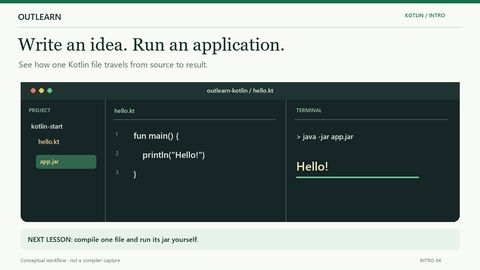
Where this leads
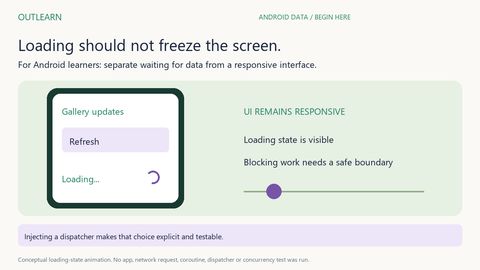
This course is part of the Mobile App Developer bundle: 3 courses for ₹699, against ₹997 bought one by one.
Frequently asked questions
What should I know before starting?
The course expects Kotlin Programming or an accepted equivalent. Completed Kotlin Programming. A short diagnostic check is described in the entry requirements.
What do I build for the final project?
You choose one of 3 options: Pantry Pal; Study Planner; Gear Lending Log. It is reviewed by a trainer in a live demonstration.
When do I get a certificate?
Only after you build and demonstrate your live project. OUTLEARN staff issue certificates; nothing is issued automatically.
Be first in when Android Development with Kotlin and Compose opens
Email us and we will tell you as soon as enrolment opens.
Notify me when it opens