
- 60lessons
- 3guided projects
- 10module checkpoints
- 0.9hours of video
What you'll learn
- Select, create, change and remove DOM nodes with platform APIs.
- Attach, delegate and clean up event listeners, and prove event order with a log.
- Validate and submit forms with FormData and constraint validation, with errors exposed to assistive technology.
- Persist state in Web Storage with JSON serialization, defensive loading and migration.
- Fetch data with loading, empty, error and cancellation handling.
Skills you'll gain
- DOM selection
- mutation
- Events
- delegation
- Forms
- input
- Storage
- serialization
- Fetch
- asynchronous UI
- Navigation
- browser lifecycle
- Timers
- scheduling
Tools you'll use
- JavaScript
- DOM APIs
- FormData
- Web Storage
- fetch
- History API
- IntersectionObserver
- jsdom
- Playwright
Details to know
- Certificate on completionIssued after your final project is reviewed
- 10 module checkpointsA quiz and a practical task close each module
- Self-pacedStudy any time; your progress is saved
How every lesson works
Each lesson follows the same four steps, so you always know what comes next.
- 01
Watch & Learn
A short animated video explains one idea at a time.
- 02
Guided Practice
Work through an example step by step and check the result.
- 03
Quiz & Challenge
Short questions check the idea has landed before you move on.
- 04
Mini Project
Build something useful from a project brief.
Learn at your own pace
This is a self-paced course. There are no live classes and no fixed timetable.
- Start any timeStudy when it suits you. Lessons are short, so they fit around work or college.
- Pick up where you left offYour progress is saved to your account.
- Ask when you're stuckUse Ask Mentor inside the learning platform.
Your path in 4 phases
Each phase ends with something you have built and checked.
- 01
Modules 1 to 3
Render, events and forms
Change the DOM, handle events with delegation and work with forms.
You build: Task list core rendered from a template with one delegated listener.
- 02
Modules 4 to 6
Persist, fetch and navigate
Save state, fetch data with clear states and keep URL and history correct.
You build: Persistent and routable workspace with versioned storage and fetch states.
- 03
Modules 7 to 9
Lifecycle, accessibility and safety
Schedule work and observers, make scripted UI accessible and handle errors and XSS safely.
You build: Resilient and accessible workspace with debounced autosave and live announcements.
- 04
Module 10
Browser application project
Combine everything into one accessible, tested workspace.
You build: Final browser application.
Full curriculum
10 modules and 60 lessons, 32 to 55 hours of study
01DOM selection and mutation8 lessons, 4 to 6 hours
Lessons
- Reading the page as a tree of nodes
- Selecting elements with querySelector and querySelectorAll
- Static NodeList versus live HTMLCollection
- Writing text safely with textContent versus innerHTML
- Creating, inserting and removing nodes
- Cloning markup from a template element
- Attributes, classList and data-* values
- Inline style versus computed style
After this module you can
- Given a fixture page, list from the console which of parentNode, children and childNodes include text nodes and say why whitespace creates them.
- Write selectors that return the intended single element or list from a fixture, and handle the null returned when nothing matches.
- Read an element's resolved display value with getComputedStyle, reveal it with a class, and explain why element.style does not report stylesheet rules.
02Events and delegation7 lessons, 3 to 5 hours
Lessons
- Registering a listener and reading the event object
- Capture, target and bubble phases in order
- event.target versus event.currentTarget
- Event delegation with closest()
- preventDefault, stopPropagation and stopImmediatePropagation
- Listener options and cleanup: once, passive and signal
- Keyboard events for custom controls
After this module you can
- Register a click listener, log event.type and event.target, and show that adding the same named function twice runs it once while two anonymous arrows run twice.
- Predict and then print the exact order in which capture and bubble listeners on three nested elements run for one click on the innermost.
- Make a div-based control respond to Enter and Space by checking event.key on keydown, then replace it with a native <button> and show the two logs match.
03Forms and input6 lessons, 3 to 4 hours
Lessons
- Form controls and reading their current values
- input versus change events
- FormData and turning a form into an object
- Constraint validation and ValidityState
- Handling submit: preventDefault, requestSubmit and submit
- Reporting form errors where assistive technology can find them
After this module you can
- Read the current value of a text input, a checkbox's checked state, a radio group's selection and a select's value through form.elements.
- Log which of input and change fires, and when, for typing in a text field, toggling a checkbox, choosing a select option and a programmatic value assignment.
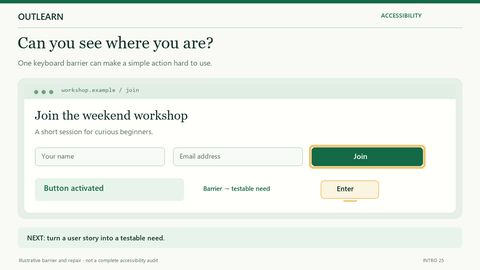
- Wire a label, an error message element with aria-describedby, aria-invalid and focus on the first invalid field, then verify the relationships through the DOM.
04Storage and serialization6 lessons, 3 to 4 hours
Lessons
- Reading and writing Web Storage strings
- The JSON round trip and what it loses
- Loading saved state defensively
- Scope and lifetime: origin, session versus local, the storage event
- When storage fails: quota, blocked access and feature detection
- Choosing between cookies, Web Storage and what never to store
After this module you can
- Save, read, overwrite and remove keys with setItem, getItem and removeItem, and show that a stored number or object comes back as a string.
- Round-trip an object through JSON.stringify and JSON.parse and list which values change or vanish: undefined, functions, Date, NaN, Map and Set.
- Classify five pieces of data (theme, cart, session id, password, draft) into cookie, web storage or server-side, and justify each with sending behaviour and script visibility.
05Fetch and asynchronous UI6 lessons, 3 to 4 hours
Lessons
- Requesting JSON with fetch and reading the body
- HTTP errors do not reject: checking response.ok
- Rendering loading, empty, error and success states
- Sending data with POST: JSON bodies and FormData
- Cancelling requests and ignoring stale responses
- Why the browser blocks some requests: same-origin policy and CORS
After this module you can
- Call fetch on a local fixture endpoint, await the Response, await response.json() and render the result, explaining why there are two awaits.
- Show with a 404 and a 500 fixture that fetch resolves, check response.ok and status, and distinguish this from a network failure that rejects with a TypeError.
- Explain from a console error and response headers why a cross-origin fetch fails to give the page its data, and design the header the server must add.
06Navigation and browser lifecycle6 lessons, 3 to 4 hours
Lessons
- When your script runs: defer, modules and readyState
- Reading and building URLs with URL and URLSearchParams
- Changing the URL without reloading: pushState and replaceState
- Back and forward: popstate and restoring state
- A minimal client-side router with link interception
- Page lifecycle: visibilitychange, pagehide and saving at the right time
After this module you can
- Place a script in head, at the end of body, with defer and as a module, and log document.readyState and whether #target exists to show which placements can see the element.
- Parse a query string into values, build one with append and set, and show how spaces and symbols are encoded.
- Flush unsaved state when the page becomes hidden, and log the visibilitychange order for switching tabs versus navigating away.
07Timers, scheduling and observers7 lessons, 3 to 5 hours
Lessons
- Timers and the event loop: setTimeout, setInterval and clearing
- Debounce and throttle with an injectable clock
- Visual updates with requestAnimationFrame
- IntersectionObserver for lazy loading and reveal
- MutationObserver: reacting to DOM changes you did not make
- ResizeObserver: responding to an element's own size
- Teardown: releasing timers, observers and listeners
After this module you can
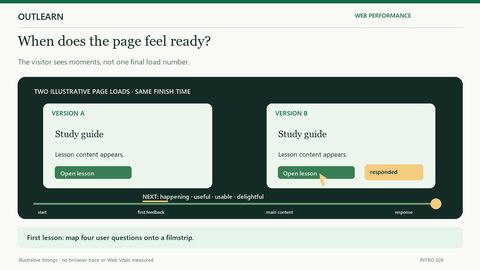
- Predict and log the order of synchronous code, a setTimeout of 0 and a resolved promise callback, and cancel a pending timer with clearTimeout.
- Implement debounce and throttle from timers and test each with a fake clock that advances time deterministically.
- Write a mount/unmount pair that clears timers, cancels frames, disconnects observers and aborts listeners, and prove with counters that nothing runs after unmount.
08Accessibility in the browser5 lessons, 2 to 4 hours
Lessons
- The accessibility tree: name, role and state
- A disclosure widget with aria-expanded and aria-controls
- Moving focus deliberately
- Announcing changes with live regions
- A keyboard-only audit of a scripted interface
After this module you can
- Read the accessible name, role and state of a native button, a link and a div-based imitation from the accessibility snapshot, and list what the div lacks.
- Build a toggle button that shows and hides a panel, keeping aria-expanded in sync with the panel's hidden property, and verify the state after each activation.
- Walk a supplied page with Tab, Shift+Tab, Enter, Space and Escape and record a table of reachable controls, visible focus and any trap.
09Errors and browser security basics5 lessons, 2 to 4 hours
Lessons
- try/catch/finally for UI actions and user-facing messages
- Global error hooks: error and unhandledrejection
- Cross-site scripting: sources, sinks and safe patterns
- Content Security Policy as a second line of defence
- Auditing untrusted input from URL, storage and network
After this module you can
- Wrap an async UI action so errors become a visible message, loading state always ends, and unexpected errors are rethrown or reported rather than swallowed.
- Register window listeners for uncaught exceptions and unhandled promise rejections, route both to one reporter, and show that a rejection does not reach the error listener.
- Classify every external data source in the workspace (URL, storage, fetch, form) as untrusted, validate each with a schema-like check at the boundary, and prove invalid data is rejected.
10Browser application project4 lessons, 2 to 3 hours
Lessons
- Specifying the task workspace: state shape, render function and test list
- Building the core: templates, delegated events and persistence
- Adding async sync, URL filters, history and failure states
- Accessibility pass, teardown and the evidence run
After this module you can
- Write the workspace's state object (tasks with id, title, done, due), a pure render(state) plan and a list of at least twelve observable checks before coding.
- Implement add, toggle, delete and clear-completed with one template, one delegated listener and localStorage persistence, then verify with jsdom tests and a reload.
- Run a keyboard walk, an accessibility-tree audit, a live-region check and a teardown check on the workspace, fix what fails, and package the evidence.
What you'll build
3 guided projects along the way, then a final project.
Task list core: render, events and forms
after module 3Persistent and routable workspace
after module 6Resilient and accessible workspace
after module 9
Final project
Choose one: an accessible task workspace, a reading-list manager or an event-RSVP planner.
What you submit
Repository with source, mock server and README; jsdom and Playwright logs; error-handling, persistence, accessibility and security evidence.
How it's reviewed
Four-level rubric across DOM and events, forms, persistence, async and URL handling, accessibility, and XSS and CSP handling, plus a trainer-reviewed demonstration.
Where you'll use it
- Add client-side validation to a form with error messages screen-reader users can find.
- Save a user's filter choices in the URL so Back and Forward work without a page reload.
Roles that use these skills
- Frontend developer
- JavaScript developer
- Web developer
Earn the certificate by building, not watching
- Complete the lessons and pass each module checkpoint.
- Build your final project and demonstrate it.
- OUTLEARN reviews your project and issues your certificate. It is not issued automatically.
Related courses
Take first
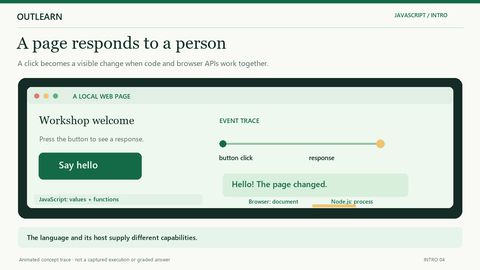 FreeStart here
JavaScript Programming
122 lessons, 56 to 92 hours
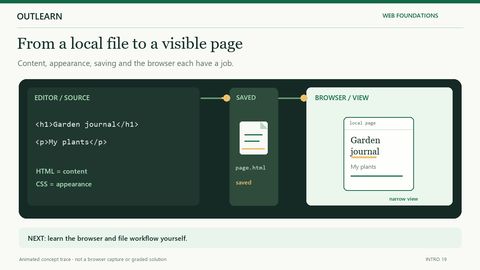 FreeStart here
Web Foundations: HTML, CSS and Responsive Layouts
88 lessons, 43 to 70 hours
Where this leads
Frequently asked questions
Do I need a framework like React?
No. The course uses the browser's own APIs.
Is security covered?
Yes, at concept level: XSS sources and sinks, safe DOM APIs and Content Security Policy.
Do I need testing experience?
No prior testing-tool experience is assumed.
Be first in when JavaScript DOM & Browser APIs opens
Email us and we will tell you as soon as enrolment opens.
Notify me when it opens