
- 48lessons
- 3guided projects
- 8module checkpoints
- 2.3hours of video
What you'll learn
- Assign each risk in a mobile app to a test layer (local unit, component, instrumented UI, device-matrix, manual) and justify the choice by cost, speed and flake risk.
- Build reproducible device fixtures: pinned emulator configurations, clean app state, seeded data, granted permissions and a small device matrix.
- Test network failure, slow links, malformed responses, offline queues, retries and cancellation hermetically.
- Verify lifecycle behaviour (recreation, restart) and measure startup and frame timing with an honest account of emulator limits.
- Deliver a mobile test strategy and an executable critical-journey suite with setup instructions and a trainer-reviewed demonstration.
Skills you'll gain
- Test layers
- Unit
- component tests
- Device fixtures
- Navigation
- input
- Network
- offline tests
- Accessibility
- Performance
- lifecycle
- Test reporting
Tools you'll use
- Android emulator
- Kotlin
- Jetpack Compose testing
- JVM unit tests
- Accessibility checks
Details to know
- Certificate on completionIssued after your final project is reviewed
- 8 module checkpointsA quiz and a practical task close each module
- Self-pacedStudy any time; your progress is saved
How every lesson works
Each lesson follows the same four steps, so you always know what comes next.
- 01
Watch & Learn
A short animated video explains one idea at a time.
- 02
Guided Practice
Work through an example step by step and check the result.
- 03
Quiz & Challenge
Short questions check the idea has landed before you move on.
- 04
Mini Project
Build something useful from a project brief.
Learn at your own pace
This is a self-paced course. There are no live classes and no fixed timetable.
- Start any timeStudy when it suits you. Lessons are short, so they fit around work or college.
- Pick up where you left offYour progress is saved to your account.
- Ask when you're stuckUse Ask Mentor inside the learning platform.
Your path in 4 phases
Each phase ends with something you have built and checked.
- 01
Modules 1 to 3
Risk map and first layered suites for Pantry Pal
Covers Test layers, Unit and component tests and Device fixtures.
You build: Risk map and first layered suites for Pantry Pal: Risk map with likelihood and impact scores and a one-page strategy table assigning each risk to a layer.
- 02
Modules 4 to 5
Critical-journey tests on a hermetic network
Drive an app through screens, text fields, long lists, back navigation, deep links and other apps with selectors that survive UI change and without fixed sleeps.
You build: Critical-journey tests on a hermetic network: Selector convention and a navigation journey test that survives a copy-text change.
- 03
Modules 6 to 7
Quality evidence pack: accessibility, lifecycle and startup
Test accessibility as evidence: automated label, target-size and check-framework assertions, a scripted screen-reader pass, and large-text layout checks, with honest limits on what automation can see.
You build: Quality evidence pack: accessibility, lifecycle and startup: Automated label assertions on key controls plus a scripted screen-reader walkthrough with notes.
- 04
Module 8
Mobile test strategy and executable critical-journey suite
Turn test runs into trustworthy evidence: read reports, triage flaky tests, attach artifacts, select and shard runs, write reproducible bug reports and produce an honest release-readiness summary.
You build: The final project, demonstrated to a trainer.
Full curriculum
8 modules and 48 lessons, 28 to 47 hours of study
01Test layers6 lessons, 3 to 4 hours
Lessons
- Size and location are two different questions
- Turning a feature list into a risk map
- Where local and instrumented tests live and how Gradle runs them
- Starting an emulator and proving the lab with adb
- Finding the seams that make an app testable
- Writing the layer-assignment strategy table
After this module you can
- Classify eight described tests by size (small, medium, large) and by location (local or instrumented) and explain why the two axes do not line up one-to-one.
- Score each feature of a small app for likelihood of failure and impact on users, and rank the top risks that tests must cover.
- Produce a one-page table that assigns each top risk to a test layer, tool, run frequency and 'not automated' decision with reasons.
02Unit and component tests6 lessons, 3 to 4 hours
Lessons
- Testing a ViewModel with a fake repository on the JVM
- Equivalence classes for mobile text input
- Choosing a fake or a mock for the data layer
- Making time deterministic with an injected clock
- Compose component tests: finders, actions and assertions
- Running UI tests on the JVM with Robolectric, and where it stops
After this module you can
- Write a local test that constructs a ViewModel with a fake repository, triggers a load, and asserts the exposed state, with no emulator running.
- Partition an input field's values into valid and invalid classes, add boundary values, and write a table-driven test covering whitespace, long strings, emoji and locale-specific decimals.
- Move one UI test from the instrumented source set to the local one with Robolectric, then list three behaviours that still need a device.
03Device fixtures6 lessons, 3 to 4 hours
Lessons
- A reproducible emulator launch recipe
- Clean app state between tests: pm clear and the Orchestrator
- Seeding deterministic data through a fixture builder
- Permissions and system dialogs
- Choosing a small device matrix with managed devices
- Emulator or physical device: what each can honestly prove
After this module you can
- Write a launch recipe naming the device profile, API level and emulator flags, and show how -no-snapshot and -wipe-data change what state a run starts from.
- Configure per-test clean state with Android Test Orchestrator's clearPackageData and weigh its restart cost against a manual reset.
- Decide which checks need a physical device, annotate tests with @RequiresDevice and @SdkSuppress, and document the free-tool limits including paid device farms.
04Navigation and input6 lessons, 3 to 4 hours
Lessons
- Choosing selectors that survive a redesign
- Espresso's matcher, action and assertion triple
- Text input and form validation journeys
- Finding items in long lists without sleeps
- Navigation journeys and the back stack
- Deep links, intents and other apps
After this module you can
- Rank four selector strategies (visible text, resource id, content description, test tag) by stability and write one selector convention for the suite.
- Write a View-based settings test with onView(matcher).perform(action).check(assertion) and explain what Espresso waits for before each step.
- Launch a screen through a deep link, stub an outgoing intent, and drive a system dialog or another app from outside the app process.
05Network and offline tests6 lessons, 3 to 4 hours
Lessons
- Hermetic tests: cutting the live network out of the loop
- A response table: success, 4xx, 5xx and malformed bodies
- Slow and constrained links with the emulator's network options
- Offline-first behaviour: queued writes and sync on reconnect
- Synchronising with async work: idling resources and waits, never sleeps
- Retries, timeouts and cancellation with controlled time
After this module you can
- Replace the real service with a controlled fake so a test never touches the internet, and show that a deliberately unplugged network does not change its verdict.
- Script a fake service with five canned responses and assert a distinct, user-visible outcome for each, including a response that is not valid JSON.
- Test that a failing call is retried the specified number of times with backoff and stops cleanly when the user leaves, using a fake clock instead of real waiting.
06Accessibility6 lessons, 3 to 4 hours
Lessons
- What automation can and cannot see
- Asserting labels and roles on key controls
- Touch targets and contrast: measuring rather than eyeballing
- Automated accessibility checks inside the test run
- A scripted screen-reader walkthrough
- Large text, display size and focus order
After this module you can
- Sort ten accessibility defects into those a scanner or automated test can detect and those needing a human with a screen reader, and justify each placement.
- Write assertions that the Delete, Add and Save controls expose a meaningful label and that decorative images do not clutter the reading order.
- Check that screens survive the largest font setting without clipped or overlapping text and that focus order follows reading order, recording screenshots and notes as evidence.
07Performance and lifecycle6 lessons, 3 to 4 hours
Lessons
- Surviving a configuration change
- Restart behaviour: what persists and what is supposed to reset
- Measuring cold, warm and hot startup
- Frame timing and jank while scrolling
- Performance budgets, iterations and noise
- Reading benchmark output and gating a release
After this module you can
- Write a test that types into a form, recreates the activity, and asserts the typed text and a toggled option are still present.
- Force-stop and relaunch the app, then assert that saved data persists and unsaved drafts follow the documented rule.
- Interpret a benchmark result file and a supplied trace excerpt, then state a release-gate decision with evidence and caveats.
08Test reporting6 lessons, 3 to 4 hours
Lessons
- Reading Gradle test reports and XML results
- Triaging flaky tests
- Attaching evidence: screenshots, logs and traces
- Selecting and sharding runs
- Writing a reproducible bug report from a failing test
- The release-readiness summary and test strategy report
After this module you can
- Locate the HTML and XML results for a local and an instrumented run and extract the counts of passed, failed and skipped tests from a supplied report.
- Classify a test that sometimes fails by cause (timing, shared state, environment, genuine bug), choose an action, and write a quarantine entry with owner and expiry.
- Assemble a one-page summary linking critical journeys to automated tests, results, known gaps and a go, no-go or conditional recommendation.
What you'll build
3 guided projects along the way, then a final project.
Risk map and first layered suites for Pantry Pal
after module 3Critical-journey tests on a hermetic network
after module 5Quality evidence pack: accessibility, lifecycle and startup
after module 7
Final project
Mobile test strategy and executable critical-journey suite. Options: Pantry Pal critical-journey suite and strategy; Gym Class Booker critical-journey suite and strategy; Own-app test strategy and suite.
What you submit
Source submission: project folder with Gradle wrapper, test sources, README with exact setup and run commands, and the emulator or device configuration used.
How it's reviewed
Trainer review against a weighted rubric: risk_to_layer_reasoning mutation_sensitivity determinism evidence_quality accessibility_and_lifecycle reproducibility.
Where you'll use it
- Automate a sign-up or checkout journey with selectors that survive UI changes and no fixed sleeps.
- Triage a flaky test and write a reproducible bug report with attached evidence.
Roles that use these skills
- Mobile QA engineer
- Test automation engineer
- Android developer
Earn the certificate by building, not watching
- Complete the lessons and pass each module checkpoint.
- Build your final project and demonstrate it.
- OUTLEARN reviews your project and issues your certificate. It is not issued automatically.
Frequently asked questions
What should I know before starting?
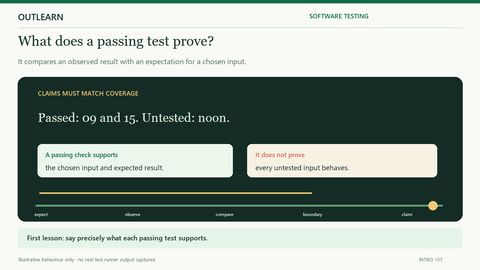
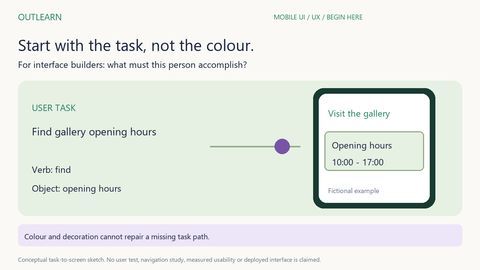
The course expects Software Testing and Test-Driven Development, Mobile UI/UX Engineering or an accepted equivalent. Completion of Software Testing and Test-Driven Development. A short diagnostic check is described in the entry requirements.
What do I build for the final project?
You choose one of 3 options: Pantry Pal critical-journey suite and strategy; Gym Class Booker critical-journey suite and strategy; Own-app test strategy and suite. It is reviewed by a trainer in a live demonstration.
When do I get a certificate?
Only after you build and demonstrate your live project. OUTLEARN staff issue certificates; nothing is issued automatically.
Be first in when Mobile Application Testing opens
Email us and we will tell you as soon as enrolment opens.
Notify me when it opens