
- 48lessons
- 3guided projects
- 8module checkpoints
- 2.1hours of video
What you'll learn
- Pin a compatible React, three, fiber, drei and test-renderer set and audit Canvas configuration against documented defaults.
- Choose between React state, refs and external stores for scene values and prove the choice with render counts and identity checks.
- Load assets through Suspense with caching, preload, progress and contained failures, and read glTF structure for hooks.
- Handle pointer interaction with event objects, propagation, hover, deselection, dragging and camera controls with a keyboard alternative.
- Ship an accessible, tested, instanced and production-built React 3D interface with evidence.
Skills you'll gain
- Renderer integration
- State
- refs
- Frame-loop behavior
- Assets
- suspense
- Interactions
- Resource cleanup
- 3D UI project
Tools you'll use
- React
- three.js
- @react-three/fiber
- @react-three/test-renderer
- Vitest
- Vite
Details to know
- Certificate on completionIssued after your final project is reviewed
- 8 module checkpointsA quiz and a practical task close each module
- Self-pacedStudy any time; your progress is saved
How every lesson works
Each lesson follows the same four steps, so you always know what comes next.
- 01
Watch & Learn
A short animated video explains one idea at a time.
- 02
Guided Practice
Work through an example step by step and check the result.
- 03
Quiz & Challenge
Short questions check the idea has landed before you move on.
- 04
Mini Project
Build something useful from a project brief.
Learn at your own pace
This is a self-paced course. There are no live classes and no fixed timetable.
- Start any timeStudy when it suits you. Lessons are short, so they fit around work or college.
- Pick up where you left offYour progress is saved to your account.
- Ask when you're stuckUse Ask Mentor inside the learning platform.
Your path in 4 phases
Each phase ends with something you have built and checked.
- 01
Modules 1 to 2
Renderer integration to Declarative scene composition
Understand R3F as a React renderer: pin a compatible package set, see how JSX becomes a Three scene, size and configure the Canvas, read its state and handle a failed start.
You build: Guided project “Pinned R3F shell with a configured Canvas”: A pinned project with a checked manifest, a sized Canvas, a documented-defaults diff, a state-reading component and a boundary with a fallback.
- 02
Modules 3 to 4
State and refs to Frame-loop behavior
Decide what belongs in React state, what belongs in refs and external stores, and prove the choice with render counts and identity checks.
You build: Guided project “Stateful, animated and demand-rendered scene”: A scene driven by state, refs and a small store with render-count tests, a context experiment record and stable object identities.
- 03
Modules 5 to 7
Assets and suspense to Resource cleanup
Load models and textures through React: suspending hooks, caching and preload, mounting loaded scenes, reading glTF nodes, progress display and failure paths.
You build: Guided project “Loading, interactive and cleanly torn-down viewer”: A viewer that loads an asset through Suspense with caching, progress, a failure path and a decoder hosting plan.
- 04
Module 8
3D UI project
Assemble a complete React-managed 3D interface: DOM and Canvas composition, instancing, adaptive quality, an accessible control layer, a layered test strategy and a production build with evidence.
You build: Final project build and trainer-reviewed demonstration (see project).
Full curriculum
8 modules and 48 lessons, 28 to 48 hours of study
01Renderer integration6 lessons, 3 to 4 hours
Lessons
- Pinning a compatible React, three and fiber package set
- Seeing React elements become Three objects through the reconciler
- Giving Canvas a sized parent and reading the resulting size
- Auditing the documented Canvas defaults against your configuration
- Reading renderer state with useThree selectors
- Handling a failed start and a missing WebGL context with fallback and an error boundary
After this module you can
- Check a package manifest against the documented React and fiber pairing and exact-version rules, and report each mismatch.
- Explain and demonstrate that JSX elements inside Canvas are created as Three objects by a React renderer, and assert the resulting scene graph.
- Show useful content when Canvas cannot start and contain a thrown render error so the page keeps working.
02Declarative scene composition6 lessons, 3 to 4 hours
Lessons
- Mapping JSX element names and props onto Three classes and properties
- Constructor arguments with args and what changing them rebuilds
- Using set, setScalar and dash-case shortcuts for properties
- Binding geometry and material to a mesh with attach and conditional children
- Separating React components from scene graph groups with toTree and toGraph
- Registering other Three classes with extend and keeping the types honest
After this module you can
- Write JSX for a small object and predict, then assert, which Three class and which property values it produces.
- Pass constructor arguments through args and show by instance identity when a change rebuilds the object and when it only updates it.
- Use extend to make a class available as an element and make the TypeScript check pass for it.
03State and refs6 lessons, 3 to 4 hours
Lessons
- Driving a mesh from React state and a click handler
- Holding a Three object in a ref and changing it without re-rendering
- Counting renders to see why per-frame setState is the wrong tool
- Reading fast-changing values from an external store with getState
- Testing whether React context reaches components inside Canvas
- Keeping object identities stable with useMemo and module constants
After this module you can
- Toggle a scene property with useState and an event handler and assert the changed prop after a simulated click.
- Read an object from a ref after mount and mutate it directly, showing that a mutation does not trigger a React render.
- Prevent per-render recreation of vectors and colours and prove it with an identity check across renders.
04Frame-loop behavior6 lessons, 3 to 4 hours
Lessons
- Writing a useFrame callback that uses delta instead of frame counts
- Ordering callbacks and understanding render priority
- Rendering on demand with frameloop and invalidate
- Stepping the loop by hand with frameloop never and advance
- Keeping useFrame callbacks free of per-frame allocation
- Timing physics and spring motion with fixed steps at concept level
After this module you can
- Write motion in useFrame that advances by delta seconds and show that two different frame rates reach the same result.
- Predict and record the order in which several useFrame callbacks run and explain what a positive priority changes.
- Explain fixed versus variable time steps and implement a pure fixed-step accumulator, using the physics wrapper's documented options as context only.
05Assets and suspense6 lessons, 3 to 4 hours
Lessons
- Suspending a component with useLoader and showing a Suspense fallback
- Caching and preloading with useLoader
- Mounting a loaded scene with primitive and understanding ownership
- Reading nodes and materials from a glTF result and planning decoders
- Showing load progress with a pure reducer and the drei progress hook
- Containing a failed asset load with an error boundary and a retry
After this module you can
- Load an asset with useLoader inside Suspense and show that a fallback appears until the asset is ready.
- Show that repeated useLoader calls with the same URL do not reload, and that preload fetches before mounting.
- Show a message and a retry button when an asset fails to load, and prove the failure is contained.
06Interactions6 lessons, 3 to 4 hours
Lessons
- Attaching pointer handlers to meshes and reading the event object
- Giving hover feedback with enter and leave state, not move state
- Understanding propagation through occluding objects and stopPropagation
- Deselecting with onPointerMissed and managing selection state
- Dragging with pointer capture and telling a drag from a click
- Adding orbit controls with makeDefault and a keyboard-operable alternative
After this module you can
- Attach onClick and pointer handlers to a mesh and read the object, eventObject and delta fields from the event.
- Implement hover highlighting that updates React state only on enter and leave, and use a ref for movement.
- Add camera controls to a demand-rendered scene, read them from state, and provide DOM buttons that move the same camera.
07Resource cleanup6 lessons, 3 to 4 hours
Lessons
- Seeing what unmount disposes automatically and how dispose null opts out
- Sharing geometries and materials safely with an owner
- Toggling visible instead of unmounting and remounting
- Disposing a loaded scene exactly once with a traversal
- Writing symmetrical effects that survive StrictMode double invocation
- Removing listeners, timers and subscriptions added by scene components
After this module you can
- Prove with a counting class that unmounting calls dispose when the object has one, and that dispose null prevents it.
- Share one geometry and material among many meshes and design a reference count so the last user releases them.
- Remove window listeners, store subscriptions and timers on unmount and verify the counts return to baseline.
083D UI project6 lessons, 3 to 4 hours
Lessons
- Composing a DOM interface around the Canvas with one shared state
- Reducing draw calls with instancing for repeated objects
- Adapting quality under load with performance state and pixel ratio
- Building an accessible control layer for the scene
- Choosing a layered test strategy for a 3D interface
- Shipping a production build with evidence for the capstone
After this module you can
- Lay out DOM panels and a Canvas that read and write one store, and place an annotation with drei Html.
- Replace many identical meshes with instances and verify the change by element count and, in a browser, draw calls.
- Build for production, split the scene code, check pins and bundle contents and compile the evidence pack.
What you'll build
3 guided projects along the way, then a final project.
Pinned R3F shell with a configured Canvas
after module 2Stateful, animated and demand-rendered scene
after module 4Loading, interactive and cleanly torn-down viewer
after module 7
Final project
React-managed 3D interface with accessible controls and performance evidence. Choose one option: Product configurator; Gallery or building explorer; Data scene with a table equivalent.
What you submit
Source submission: repository or archive with package.json pinning exact versions of react, three, @react-three/fiber and any helper libraries, a lockfile, build script and tests.
How it's reviewed
Trainer review against the rubric: Declarative scene correctness; State, refs and frame loop; Assets and interaction; Resource cleanup; Accessibility and fallback; Testing, performance and build.
Where you'll use it
- Add a 3D product configurator to an existing React storefront with a non-3D equivalent for accessibility.
- Find and fix unnecessary re-renders in a 3D view using render counts and on-demand rendering.
Roles that use these skills
- React developer
- Creative developer
- Front-end engineer
Earn the certificate by building, not watching
- Complete the lessons and pass each module checkpoint.
- Build your final project and demonstrate it.
- OUTLEARN reviews your project and issues your certificate. It is not issued automatically.
Related courses
Take first
 ₹399Specialisations & media
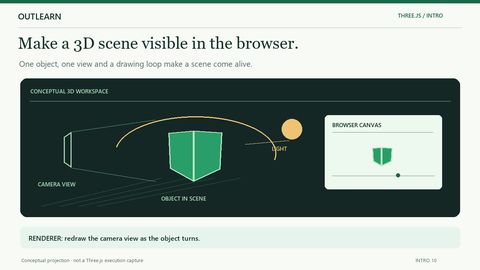
Interactive 3D with Three.js
51 lessons, 30 to 50 hours
 FreeWeb apps & analytics
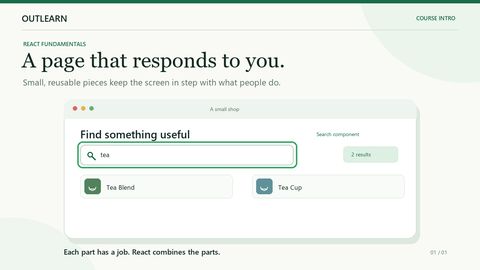
React Fundamentals
62 lessons, 34 to 57 hours
This course is part of the Interactive Web Graphics bundle: 3 courses for ₹799, against ₹1,097 bought one by one.
Frequently asked questions
What do I need before I start?
Prerequisite courses: Interactive 3D with Three.js, React Fundamentals. Comfortable with React (the earlier course: components, props, state, events, effects, error boundaries) and with the three.js scene graph, cameras, materials, glTF loading and disposal taught in the earlier course; the course teaches R3F through React and does not re-teach three.js. Diagnostic check before module 1: (1) write a React component that toggles a boolean with a button and shows it; (2) explain what useEffect cleanup is for; (3) name the three objects every three.js render needs (scene, camera, renderer) and say what Object3D.parent is; (4) say what renderer.info reports and why dispose() exists. Learners who miss two or more should take the earlier course or the earlier course first. Accepted equivalence: equivalent React and three.js experience shown by the diagnostic. A desktop browser with WebGL 2 is needed for the browser labs; the headless labs need none.
Do I get a certificate?
We do not issue certificates until you successfully build and demonstrate your live project. Module and final assessments are planned; the module pass rule is proposed, not final. Certificates are issued by OUTLEARN staff; nothing is issued automatically.
Where do the labs run?
Headless (H): Node.js LTS, exact-pinned react, three, @react-three/fiber and @react-three/test-renderer, and a test runner such as Vitest. Assertions on pure functions, render counts, handler logic and the scene graph through the test renderer, which by its README creates no WebGL renderer by default. No GPU. Whether the runner needs a DOM environment for these imports is confirm until the first run.
Be first in when 3D React Interfaces with React Three Fiber opens
Email us and we will tell you as soon as enrolment opens.
Notify me when it opens