
- 62lessons
- 3guided projects
- 9module checkpoints
- 1.5hours of video
What you'll learn
- Build interfaces from function components in JSX.
- Model state with immutable updates, derived values and lifted state.
- Build accessible controlled forms with validation and error messages.
- Handle loading, error, empty and success states for fetched data.
- Add client-side routing and write Testing Library tests that query by role.
Skills you'll gain
- Components
- JSX
- Props
- composition
- State
- events
- Forms
- validation
- Effects
- lifecycle
- Lists
- identity
- Data loading
- errors
Tools you'll use
- React
- JSX
- Testing Library
- Client-side routing library
- npm
Details to know
- Certificate on completionIssued after your final project is reviewed
- 9 module checkpointsA quiz and a practical task close each module
- Self-pacedStudy any time; your progress is saved
How every lesson works
Each lesson follows the same four steps, so you always know what comes next.
- 01
Watch & Learn
A short animated video explains one idea at a time.
- 02
Guided Practice
Work through an example step by step and check the result.
- 03
Quiz & Challenge
Short questions check the idea has landed before you move on.
- 04
Mini Project
Build something useful from a project brief.
Learn at your own pace
This is a self-paced course. There are no live classes and no fixed timetable.
- Start any timeStudy when it suits you. Lessons are short, so they fit around work or college.
- Pick up where you left offYour progress is saved to your account.
- Ask when you're stuckUse Ask Mentor inside the learning platform.
Your path in 4 phases
Each phase ends with something you have built and checked.
- 01
Modules 1 to 3
Components and state
Write JSX components, compose them with props and manage state and events.
You build: Interactive pantry planner.
- 02
Modules 4 to 6
Forms, effects and lists
Build validated forms, use effects correctly and render lists with stable keys.
You build: Pantry planner with forms and lists.
- 03
Modules 7 to 8
Data, routes and tests
Load data with clear states, add routes and write component tests.
You build: Routed pantry desk with data and tests.
- 04
Module 9
Integrated application
Plan, build, audit, test and demonstrate a complete app.
You build: Final React application.
Full curriculum
9 modules and 62 lessons, 34 to 57 hours of study
01Components and JSX7 lessons, 3 to 5 hours
Lessons
- Scaffold and run a Vite React project
- Write a function component that returns markup
- Follow the JSX markup rules
- Embed JavaScript values with curly braces
- Render conditionally with &&, ternary and early return
- Keep rendering pure
- Organise components into files with import and export
After this module you can
- Create a React project with the pinned toolchain, start the dev server and point to the file where the root component is mounted.
- Write a named function component, render it from a parent, and explain why its name must start with a capital letter.
- Split a component tree into modules using default and named exports and import CSS and sibling components correctly.
02Props and composition6 lessons, 3 to 4 hours
Lessons
- Pass data into a component with props
- Set defaults and treat props as read-only
- Wrap content with the children prop
- Compose layouts with element props
- Send events upward with function props
- Forward attributes and refs to the underlying element
After this module you can
- Pass strings, numbers and objects to a component through attributes and read them with destructured parameters.
- Provide default prop values, and explain why a child must not modify the props it receives.
- Pass remaining props through to a DOM element with rest/spread and accept a ref as an ordinary prop in React 19.
03State and events7 lessons, 3 to 5 hours
Lessons
- Handle user events with event handlers
- Remember values with useState
- Read state as a snapshot and queue updates
- Update objects and arrays without mutation
- Derive values instead of duplicating state
- Lift state up to a shared parent
- Preserve and reset state by position and key
After this module you can
- Attach click and input handlers correctly, read the event object, and use preventDefault and stopPropagation where needed.
- Add a state variable with useState, update it from an event and explain why a plain variable does not update the screen.
- Predict when React keeps or discards component state and reset it deliberately with a key.
04Forms and validation7 lessons, 3 to 5 hours
Lessons
- Control a text input with value and onChange
- Label every field accessibly
- Handle checkboxes, radios, selects and textareas
- Validate with pure rule functions
- Handle submission without losing the page
- Announce errors and manage focus
- Use form actions and pending state in React 19
After this module you can
- Make an input controlled by state so the screen always shows the state value, and explain what happens without onChange.
- Associate each control with a visible label using htmlFor and useId, and group related controls in a fieldset with a legend.
- Describe how form actions, useActionState and useFormStatus change submission handling and apply them to a client-side form.
05Effects and lifecycle7 lessons, 3 to 5 hours
Lessons
- Decide between an event handler and an effect
- Control re-runs with the dependency array
- Clean up subscriptions and timers
- Reach DOM nodes with refs
- Avoid unnecessary effects
- Avoid stale values in effects and handlers
- Extract reusable logic into a custom hook
After this module you can
- Classify behaviour as caused by a user event or by the component being displayed, and place the code accordingly.
- Write useEffect with the correct dependency list and predict how often it runs for no array, an empty array and a list.
- Move stateful effect logic into a use-prefixed function that several components share.
06Lists and identity7 lessons, 3 to 5 hours
Lessons
- Render a collection with map
- Give every item a stable key
- Explain why index keys break reordering
- Derive filtered and sorted views
- Add, edit and remove items immutably
- Keep state with the right item
- Handle empty, grouped and long lists
After this module you can
- Turn an array of objects into a list of elements by returning JSX from map inside a semantic list.
- Choose a key from the data that is unique among siblings and stable across renders, and explain what the key does.
- Render an accessible empty state, group items with keyed Fragments and describe when to paginate or virtualise a long list.
07Data loading and errors7 lessons, 3 to 5 hours
Lessons
- Request JSON with fetch and check the response
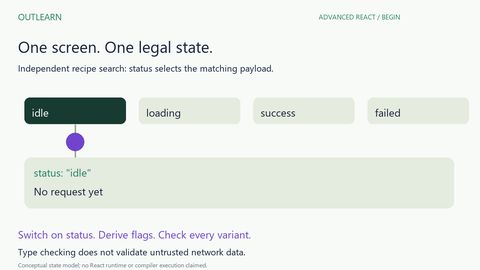
- Model loading, error and success as explicit status
- Fetch in an effect and ignore stale responses
- Catch render errors with an error boundary
- Design retry, empty and partial-failure experiences
- Show loading with Suspense and lazy components
- Send a change to the server and show the result
After this module you can
- Fetch JSON from a local endpoint, parse it, and treat non-2xx responses as errors by checking response.ok.
- Represent an async request as a status (idle, loading, error, success) with data and error, and render each status.
- Submit a POST/PUT request from a form with pending state, success and error feedback, and roll back an optimistic update on failure.
08Routing and tests8 lessons, 4 to 6 hours
Lessons
- Map URLs to screens with routes and links
- Read URL parameters for detail pages
- Share a layout with nested routes and Outlet
- Navigate in code and handle missing routes accessibly
- Keep filter state in the query string
- Test rendered output by role with Testing Library
- Test user interaction, state and forms
- Test async data and routes with fakes
After this module you can
- Configure a router with Routes, Route and Link so that URL changes swap screens without a full page reload.
- Define a dynamic route segment, read it with useParams and handle an unknown id.
- Test a data-loading component and a routed screen by faking fetch and wrapping in an in-memory router.
09Integrated application6 lessons, 3 to 4 hours
Lessons
- Specify the app and map its component tree
- Build the data layer and state flows
- Add routing, forms and keyboard-ready navigation
- Audit accessibility and responsive behaviour
- Write a test suite for critical flows
- Build, clean up and demonstrate the application
After this module you can
- Write a one-page specification with user stories and acceptance checks and draw the component tree with a state-ownership table.
- Implement the local API fixtures, loading/error/empty states and the state updates for the main workflow.
- Produce a production build, write setup instructions, verify resource cleanup and present a short live demonstration.
What you'll build
3 guided projects along the way, then a final project.
Interactive pantry planner
after module 3Pantry planner with forms and lists
after module 6Routed pantry desk with data and tests
after module 8
Final project
Choose one: a neighbourhood tool-lending desk, a clinic appointment desk or a workshop seat-booking app.
What you submit
Repository with manifest, lockfile and production build; at least 3 routes, validated forms, a keyed list, data states, error handling, persistence evidence, accessibility evidence and at least 8 role-based tests.
How it's reviewed
Weighted rubric covering state ownership, component design, forms and validation and more, plus a live demonstration.
Where you'll use it
- Build a form component with validation messages and focus moved to the first error.
- Load a list from an API and show loading, empty and error states.
Roles that use these skills
- React developer
- Frontend developer
- UI engineer
Earn the certificate by building, not watching
- Complete the lessons and pass each module checkpoint.
- Build your final project and demonstrate it.
- OUTLEARN reviews your project and issues your certificate. It is not issued automatically.
Related courses
Take first
 FreeStart here
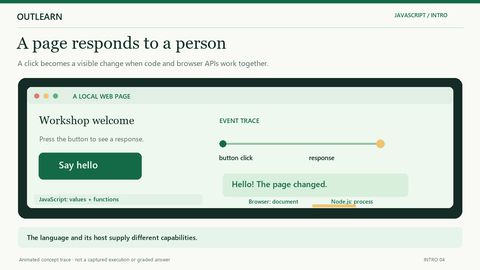
JavaScript Programming
122 lessons, 56 to 92 hours
 FreeStart here
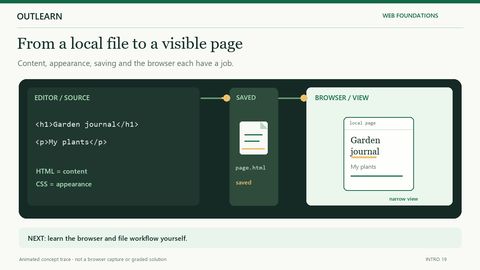
Web Foundations: HTML, CSS and Responsive Layouts
88 lessons, 43 to 70 hours
Where this leads
Frequently asked questions
Am I ready for React?
A short diagnostic (a labelled form and filtering an array of objects without a framework) shows readiness.
Are tests required?
Yes. The final project needs at least 8 role-based tests and an honest list of untested areas.
Which routing approach is used?
A routing library in declarative mode.
Be first in when React Fundamentals opens
Email us and we will tell you as soon as enrolment opens.
Notify me when it opens