
- 40lessons
- 4guided projects
- 8module checkpoints
- 1.9hours of video
What you'll learn
- Define cloud computing using the NIST characteristics, service models and deployment models and screen a vendor claim against them.
- Choose compute and storage types by workload and demonstrate limits, object listing and version recovery.
- Select managed data services, prove a backup by restoring it and design an idempotent consumer.
- Compute availability budgets, demonstrate health-checked failover and choose a recovery tier from RTO and RPO.
- Deploy reproducibly with environment separation, rollback and an audit trail, and tear everything down with proof.
Skills you'll gain
- Shared responsibility
- Compute
- storage
- Networking
- identity
- Managed data services
- Availability
- scaling
- Costs
- budgets
- Deployment boundaries
- Cloud architecture lab
Tools you'll use
- Linux command line
- NIST cloud definitions
- Infrastructure stack file (declarative)
- Object storage with versioning
- Health-checked load balancer
Details to know
- Certificate on completionIssued after your final project is reviewed
- 8 module checkpointsA quiz and a practical task close each module
- Self-pacedStudy any time; your progress is saved
How every lesson works
Each lesson follows the same four steps, so you always know what comes next.
- 01
Watch & Learn
A short animated video explains one idea at a time.
- 02
Guided Practice
Work through an example step by step and check the result.
- 03
Quiz & Challenge
Short questions check the idea has landed before you move on.
- 04
Mini Project
Build something useful from a project brief.
Learn at your own pace
This is a self-paced course. There are no live classes and no fixed timetable.
- Start any timeStudy when it suits you. Lessons are short, so they fit around work or college.
- Pick up where you left offYour progress is saved to your account.
- Ask when you're stuckUse Ask Mentor inside the learning platform.
Your path in 3 phases
Each phase ends with something you have built and checked.
- 01
Modules 1 to 3
Cloud models, compute and networks
Define cloud computing, assign provider and customer duties, choose compute and storage, and plan a segmented network with least-privilege access.
You build: Guided project: Foundations note and lab charter; Storage and network lab with least-privilege access.
- 02
Modules 4 to 6
Data, availability and cost
Pick managed data services and prove a restore, calculate availability budgets and fail over, then estimate and budget cost with honest figures.
You build: Guided project: Data service and availability runbook.
- 03
Modules 7 to 8
Deploy and build the architecture lab
Separate environments, deploy declaratively with a rollback path, and build the architecture from a runbook with a failure drill and teardown.
You build: Guided project: Cost-aware, reproducible deployment.
Full curriculum
8 modules and 40 lessons, 26 to 45 hours of study
01Shared responsibility5 lessons, 2 to 4 hours
Lessons
- Five NIST characteristics tested against a described service
- IaaS, PaaS and SaaS placed by what the customer still manages
- Public, private, community and hybrid deployment models and tenancy
- Shared responsibility matrix applied to a breach scenario
- Sandbox ground rules: scope, labels and a teardown promise
After this module you can
- Classify a described hosting behaviour as on-demand self-service, broad network access, resource pooling, rapid elasticity or measured service, and reject a lookalike that is only remote hosting.
- Place a workload on IaaS, PaaS or SaaS by listing which layers (application, runtime, operating system, virtualisation, hardware) the customer still manages, noting that data always stays with the customer.
- Write a lab charter naming the allowed environment, resource labels, spending guard and teardown steps before any cloud-style exercise begins.
02Compute and storage5 lessons, 2 to 4 hours
Lessons
- Virtual machine, container or function: matching compute to the workload
- Sizing compute: vCPU, memory and limits you can observe
- Block, file and object storage: three access models
- Object storage in practice: buckets, keys, prefixes and listing
- Durability, availability and backup are different promises
After this module you can
- Choose virtual machine, container or function for a described workload by stating the unit of deployment, who manages the operating system, and how it starts and scales.
- Run a container with explicit CPU and memory limits, observe the limit being enforced, and choose a size from measured need instead of a guess.
- Distinguish durability, availability and backup, and demonstrate that versioning recovers an accidentally overwritten or deleted object.
03Networking and identity5 lessons, 2 to 4 hours
Lessons
- Virtual network address plan with public and private subnets
- Allow-list firewall rules and what stateful means
- Egress, NAT and how private workloads reach the internet
- Identities, roles and least-privilege policies
- Secrets, short-lived credentials and the root account
After this module you can
- Design a non-overlapping address plan for a virtual network with a public and a private subnet and state which components live in each.
- Write least-open allow rules for a three-tier layout and predict which connection attempts succeed, including reply traffic.
- Replace a hard-coded access key with a role or short-lived token pattern and write a handling rule for secrets and the account owner login.
04Managed data services5 lessons, 2 to 4 hours
Lessons
- What a managed relational database operates for you and what remains yours
- Restore testing: backups prove nothing until you restore them
- Choosing a store by access pattern: relational, key-value, document, object
- Queues and caches: at-least-once delivery and idempotent handlers
- Lock-in, data egress and residency when choosing managed data
After this module you can
- List the operational tasks a managed relational database takes over and the tasks the customer still owns, using a self-hosted database as the contrast.
- Take a logical backup of a database, destroy it, restore into a fresh database and verify the restore by comparing row counts and a sample query.
- Assess a managed data choice for portability, exit cost and data location, and record the facts that must be verified in provider documentation.
05Availability and scaling5 lessons, 2 to 4 hours
Lessons
- Regions, availability zones and failure domains
- Availability arithmetic: downtime budgets and serial dependencies
- Load balancing and health checks you can watch
- Horizontal scaling, stateless services and autoscaling signals
- Recovery objectives and tiers: backup-restore to active-active
After this module you can
- Identify the failure domain a given outage affects and choose a placement that survives it, using region and availability-zone vocabulary.
- Convert an availability percentage into a downtime budget per month and compute the combined availability of dependent components.
- Choose a disaster-recovery tier from stated recovery time and recovery point objectives and write a one-page runbook for the chosen tier.
06Costs and budgets5 lessons, 2 to 4 hours
Lessons
- Four pricing dimensions: compute time, storage, requests and transfer
- Monthly estimate worksheet with scenarios and sensitivity
- Budgets, alerts, labels and quotas as guardrails
- Cost levers and their risks: right-sizing, commitments and interruptible capacity
- Free tiers, credits and zero-cost lab paths with limits to verify
After this module you can
- Break a cloud bill into compute time, storage capacity, request counts and data transfer, and identify which dimension each line item belongs to.
- Build a spreadsheet estimate for a small architecture with low, expected and high usage, and find which input moves the total most.
- Plan a lab path that starts free and local, lists which free-tier or credit facts must be verified on official pages, and states what happens when limits end.
07Deployment boundaries5 lessons, 2 to 4 hours
Lessons
- Environments, accounts and blast radius
- Infrastructure as code: declarative, repeatable, reviewable
- Configuration and secrets outside the build
- Release strategies: rolling, blue/green, canary and rollback
- Logs, metrics and an audit trail that prove what changed
After this module you can
- Separate development, staging and production by account or project boundaries and explain how the separation limits the damage of a mistake.
- Describe a lab stack in one declarative file, bring it up twice and show the second run changes nothing.
- Produce structured logs, a basic health metric and a change record that together show who changed what and what the system did afterwards.
08Cloud architecture lab5 lessons, 2 to 4 hours
Lessons
- From workload brief to architecture decision record
- Architecture diagram with trust boundaries and data flows
- Building the bounded lab deployment from a runbook
- Failure drills: replica loss, data loss and a bad secret
- Cost estimate, teardown and the empty residual listing
After this module you can
- Turn a half-page workload brief into numbered requirements and an architecture decision record that cites the course concept behind each choice.
- Draw a labelled diagram of the architecture showing components, data flows, trust boundaries and the responsibility owner of each layer.
- Complete the capstone with a cost estimate, a labelled teardown and a final listing that shows no resources remain.
What you'll build
4 guided projects along the way, then a final project.
Foundations note and lab charter
after module 1Storage and network lab with least-privilege access
after module 3Data service and availability runbook
after module 5Cost-aware, reproducible deployment
after module 7
Final project
Cloud architecture and bounded sandbox deployment with cleanup evidence.
What you submit
Source and artifact submission: diagram with text equivalent, decision records, stack file, runbook, policies and scripts in a repository or archive.
How it's reviewed
Trainer-reviewed live demonstration that includes one failure drill and the teardown. Marked against the course project review rubric.
Where you'll use it
- Write a monthly cost estimate with budgets and labels before a new service goes live.
- Choose a recovery tier from RTO and RPO and prove a database backup by restoring it.
Roles that use these skills
- Cloud engineer
- Solutions architect
- DevOps engineer
- Systems administrator
Earn the certificate by building, not watching
- Complete the lessons and pass each module checkpoint.
- Build your final project and demonstrate it.
- OUTLEARN reviews your project and issues your certificate. It is not issued automatically.
Related courses
Take first
 FreeStart here
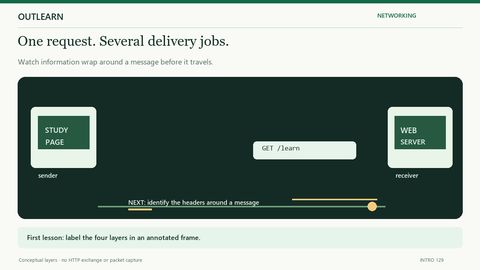
Networking Fundamentals
48 lessons, 29 to 49 hours
 FreeStart here
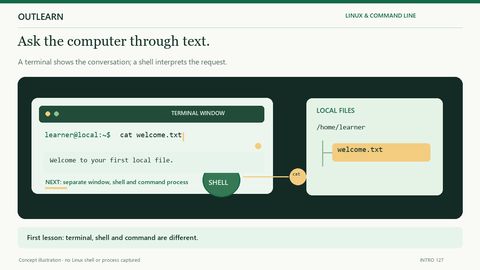
Linux and the Developer Command Line
48 lessons, 25 to 41 hours
Where this leads
Frequently asked questions
Will I be charged by a cloud provider?
Costs are estimated from rates marked as verified (with links) or clearly fictional, and the project ends with a teardown showing empty resources.
What should I know before starting?
The Linux command line and core networking ideas at the level of the earlier course and the earlier course. A diagnostic asks you to list listening ports and explain a CIDR block.
How is Cloud Computing Fundamentals structured, and is it open now?
It has 8 modules and 40 lessons. It is not yet released to learners.
Be first in when Cloud Computing Fundamentals opens
Email us and we will tell you as soon as enrolment opens.
Notify me when it opens