
- 40lessons
- 4guided projects
- 8module checkpoints
- 1.9hours of video
What you'll learn
- Explain containers versus virtual machines and the client, daemon and registry roles, and run, observe, stop and remove containers.
- Persist data with volumes and bind mounts, connect containers by name on user-defined networks, and publish ports on loopback only.
- Describe multi-container applications in Compose with validated configuration, readiness-based ordering, restart policy and resource limits.
- Build reproducible, smaller images with pinned bases, multi-stage builds and test targets, and plan rebuilds and vulnerability triage.
- Plan registry tagging, credential handling and CI delivery at concept level, state platform and licensing facts from sourced pages, and ship a verified local release.
Skills you'll gain
- Images
- containers
- Dockerfiles
- layers
- Volumes
- networks
- Configuration
- secrets
- Compose services
- Build reproducibility
- Health
- debugging
- Container delivery
Tools you'll use
- Docker
- Dockerfile
- Docker Compose (compose.yaml)
- .dockerignore
- Git
- Linux command line
Details to know
- Certificate on completionIssued after your final project is reviewed
- 8 module checkpointsA quiz and a practical task close each module
- Self-pacedStudy any time; your progress is saved
How every lesson works
Each lesson follows the same four steps, so you always know what comes next.
- 01
Watch & Learn
A short animated video explains one idea at a time.
- 02
Guided Practice
Work through an example step by step and check the result.
- 03
Quiz & Challenge
Short questions check the idea has landed before you move on.
- 04
Mini Project
Build something useful from a project brief.
Learn at your own pace
This is a self-paced course. There are no live classes and no fixed timetable.
- Start any timeStudy when it suits you. Lessons are short, so they fit around work or college.
- Pick up where you left offYour progress is saved to your account.
- Ask when you're stuckUse Ask Mentor inside the learning platform.
Your path in 3 phases
Each phase ends with something you have built and checked.
- 01
Modules 1 to 3
Images, Dockerfiles and data
Run and remove containers, write Dockerfiles with a working build cache, and connect containers with volumes, networks and loopback-only ports.
You build: Guided project: A lean image for a command-line utility; State and network lab.
- 02
Modules 4 to 5
Configuration and Compose
Keep secrets and settings out of images, run with least privilege, and describe a validated multi-container stack in compose.yaml with health-based start-up order.
You build: Guided project: Configured, composed and ordered stack.
- 03
Modules 6 to 8
Reproducible, debuggable delivery
Pin bases and use multi-stage builds, diagnose containers with health checks and limits, and plan tagging, registry credentials and CI delivery.
You build: Guided project: Reproducible and diagnosable release candidate.
Full curriculum
8 modules and 40 lessons, 26 to 45 hours of study
01Images and containers5 lessons, 2 to 4 hours
Lessons
- Containers compared with virtual machines
- Client, daemon and registry roles
- One image, many independent containers
- Running containers: detach, name, publish, logs, exit codes
- Container lifecycle, stop signals and restart policies
After this module you can
- Compare a container with a virtual machine using three observable facts: shared host kernel, start-up cost and what is packaged, and record the kernel version reported inside a container next to the host's.
- Identify the client, the daemon and the registry in a docker pull and docker run sequence and demonstrate that the CLI talks to a separate Server process by reading docker version output.
- Move a container through created, running, stopped and removed states, describe what docker stop sends, and choose among restart policies no, on-failure, always and unless-stopped for a given service.
02Dockerfiles and layers5 lessons, 2 to 4 hours
Lessons
- Your first Dockerfile: FROM, WORKDIR, COPY, CMD
- Reading layers with docker image history
- Build cache and instruction order
- ENTRYPOINT, CMD and exec versus shell form
- Build context and .dockerignore
After this module you can
- Write a four-instruction Dockerfile for a tiny Python script, build it with docker build -t and run it, and explain what each instruction contributes to the resulting image.
- Map each Dockerfile instruction to a row in docker image history output and identify which rows add file content and which add none.
- Shrink a build context with a .dockerignore file so that a secret-looking file and a large folder are not sent to the builder, and verify the files are absent from the final image.
03Volumes and networks5 lessons, 2 to 4 hours
Lessons
- Named volumes keep data past container removal
- Bind mounts and hidden files
- Read-only mounts and choosing --mount over -v
- User-defined bridge networks and name resolution
- Publishing ports: loopback, EXPOSE and exposure risk
After this module you can
- Create a named volume, write data from one container, remove that container, and read the data from a second container to show that volume data outlives the container.
- Bind-mount a host folder into a container, edit a file on the host and see it change inside, and demonstrate that mounting over a non-empty image directory hides the image's files.
- Distinguish EXPOSE from -p publishing, publish a container port on 127.0.0.1 only, and verify with docker port that no all-interface binding exists.
04Configuration and secrets5 lessons, 2 to 4 hours
Lessons
- ARG at build time versus ENV at run time
- Run-time configuration with -e and Compose env_file
- Why secrets must not live in ARG, ENV or the image
- Build secrets with RUN --mount=type=secret
- Run-time secrets as mounted files and least privilege
After this module you can
- Use ARG with --build-arg to parameterise a build and ENV to set a run-time default, then show with a container command which value each one leaves in the running container.
- Pass configuration to a container with -e and with a Compose env_file, and predict which value wins when the same name appears in environment and env_file.
- Provide a fake secret to a Compose service through the top-level secrets element, read it from /run/secrets, and run the service as a non-root user with a read-only root filesystem.
05Compose services5 lessons, 2 to 4 hours
Lessons
- Anatomy of a compose.yaml and the up/ps/logs/down cycle
- Validating with docker compose config
- Networks and volumes declared in Compose
- depends_on, healthchecks and real readiness
- Restart policy, loopback ports and resource limits in Compose
After this module you can
- Write a two-service compose.yaml, bring it up, inspect it with ps and logs, and tear it down while keeping or removing volumes deliberately.
- Use docker compose config to render a Compose file, catch an interpolation mistake and an invalid key before running anything, and read the merged model.
- Configure restart, a loopback-only ports entry, mem_limit and cpus on a Compose service and verify each setting appears in docker compose config output.
06Build reproducibility5 lessons, 2 to 4 hours
Lessons
- Tags are mutable: pinning base images by digest
- Multi-stage builds: compile in one stage, ship another
- Build targets: test and debug stages
- Image size: minimal bases, apt-get hygiene and measured comparison
- Rebuilding regularly and reading a vulnerability report
After this module you can
- Show that a tag is a movable label by tagging two different local images with the same name in turn, then write a FROM line that pins a base by digest and explain what that guarantees.
- Convert a single-stage Dockerfile that includes build tools into a two-stage one using FROM ... AS and COPY --from, and show the final image no longer contains the build tool.
- Rebuild an image with --pull and --no-cache on a schedule, explain why a pinned digest still needs refreshing, and triage a supplied sample vulnerability report into fix-now and track items.
07Health and debugging5 lessons, 2 to 4 hours
Lessons
- Reading logs: tail, follow, since and timestamps
- Inspecting a running container with exec and inspect
- HEALTHCHECK in a Dockerfile and reading health state
- Resource limits and what happens at the limit
- PID 1, signals and graceful stop
After this module you can
- Use docker logs with --tail, --follow, --since and --timestamps to locate the first error line in a container that logs a burst of messages, and report its timestamp.
- Open a shell or run a command inside a running container with docker exec, and pull a state, an environment and a port mapping from docker inspect using --format.
- Show that a shell-form entrypoint ignores docker stop's signal until it is killed, fix it with exec form, and test the --init flag with a process that leaves zombies.
08Container delivery5 lessons, 2 to 4 hours
Lessons
- Repository names, tags and a local release tag
- Registry credentials without leaking them
- A CI build pipeline in concept: build, test, tag, push
- Platforms, licensing and alternative runtimes
- Release verification, runbook and cleanup
After this module you can
- Compose a valid repository name and a release tag scheme with a fixed version tag and a moving tag, apply them to a local image, and show the image is addressable under both without pushing anywhere.
- Review a supplied sample CI configuration for credential handling mistakes, and rewrite the login step to take the secret from the CI secret store, never from a file or from the repository, without using any real credential.
- Assemble the capstone release: build from a clean clone, run the Compose stack on loopback, execute a checklist of objective checks, and remove every container, network and volume you created.
What you'll build
4 guided projects along the way, then a final project.
A lean image for a command-line utility
after module 2State and network lab
after module 3Configured, composed and ordered stack
after module 5Reproducible and diagnosable release candidate
after module 7
Final project
Containerized tested service with reproducible image and local composition.
What you submit
Source and artifact submission: Dockerfile(s), compose.yaml, .dockerignore, env-file templates with fake values and a README with setup steps.
How it's reviewed
Trainer-reviewed live demonstration on a clean clone, followed by a short explanation of design choices and one failure the learner introduced and fixed. Marked against the course project review rubric.
Where you'll use it
- Write a lean Dockerfile for a service so its builds use the cache and leave secrets out of the image.
- Diagnose a failing container with logs, exec and inspect, then add a health check and resource limits.
Roles that use these skills
- DevOps engineer
- Backend developer
- Platform engineer
- Site reliability engineer
Earn the certificate by building, not watching
- Complete the lessons and pass each module checkpoint.
- Build your final project and demonstrate it.
- OUTLEARN reviews your project and issues your certificate. It is not issued automatically.
Related courses
Take first
 FreeStart here
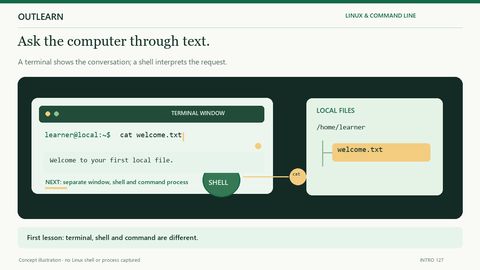
Linux and the Developer Command Line
48 lessons, 25 to 41 hours
 FreeStart here
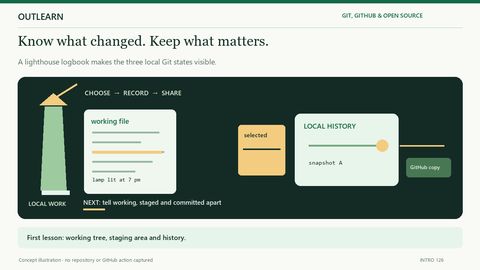
Git, GitHub and Open Source Contribution
50 lessons, 26 to 43 hours
Where this leads
Frequently asked questions
Do I need container experience?
No prior container knowledge is assumed. You do need comfort with the Linux command line and basic Git.
What does the final project look like?
You choose one of three multi-container projects, such as a notes API with a persistence container, and demonstrate it live on a clean clone.
How is Docker Fundamentals structured, and is it open now?
It has 8 modules and 40 lessons. It is not yet released to learners.
Which languages is this course in?
Every lesson has audio and captions in English, Hindi, Telugu, Tamil, Kannada and Malayalam. You can switch language inside any lesson.
How do I report a problem in a lesson?
Email [email protected] with the course and lesson name. We read every report and correct the lesson.
Start Docker Fundamentals today
Every lesson has audio and captions in English, Hindi, Telugu, Tamil, Kannada and Malayalam.
Start learning